
Why Your SharePoint Environment Is a Mess and How to Fix It

SharePoint is one of the most powerful tools inside Microsoft 365 for organizing and collaborating on company information. But without the right structure and ownership, it can become a source of frustration and disorder rather than productivity.
If that strikes a chord, your SharePoint environment might have massive libraries, deeply nested folders, inconsistent permissions, and a search function nobody actually trusts.
“A lot of organizations ended up here because they didn’t start with document management,” says Tyler Dys, Architect, Modern Productivity at IX Solutions. “During COVID, everyone jumped into the cloud, often without proper guardrails or training, and people started creating SharePoint sites freely. That’s how things can quickly spiral.”
It’s easy to assume the problem is the tool itself—that it’s confusing, or that users simply prefer shared drives. In reality, the core issue is almost always a lack of planning and training around the best way to organize SharePoint. The organizations that get it right treat it as a governance conversation first and a technical one second, carefully defining elements like SharePoint information architecture, file naming, and permissions.
Here, we break down why the platform can become chaotic, how to fix it, and the key markers of success.
How and Why SharePoint Chaos Happens
SharePoint issues usually come to a head through low user adoption and functional issues. People struggle to find what they need and might download or share files through emails and other workarounds.
Friction points often show up through file path limits, especially when documents are nested too deeply or have long names. Every file URL includes the site, library, folder, and file name. When the URL hits 400+ characters, staff often get error pop-ups and might be unable to upload files or sync with OneDrive.
Permission controls can also break. Normally, files and folders inherit permissions from their parent library, but users might need to refine access more specifically than that. In very large libraries (think 100,000+ files), you can’t break permission inheritance easily. That means it can be nearly impossible to share files securely, since access controls become extremely complicated or completely break down.
“Once organizations hit these limitations, there’s no way out,” says Dys. “They might try to move things around, but they’re really just creating more problems.”
These problems are typically symptoms of a few root causes:
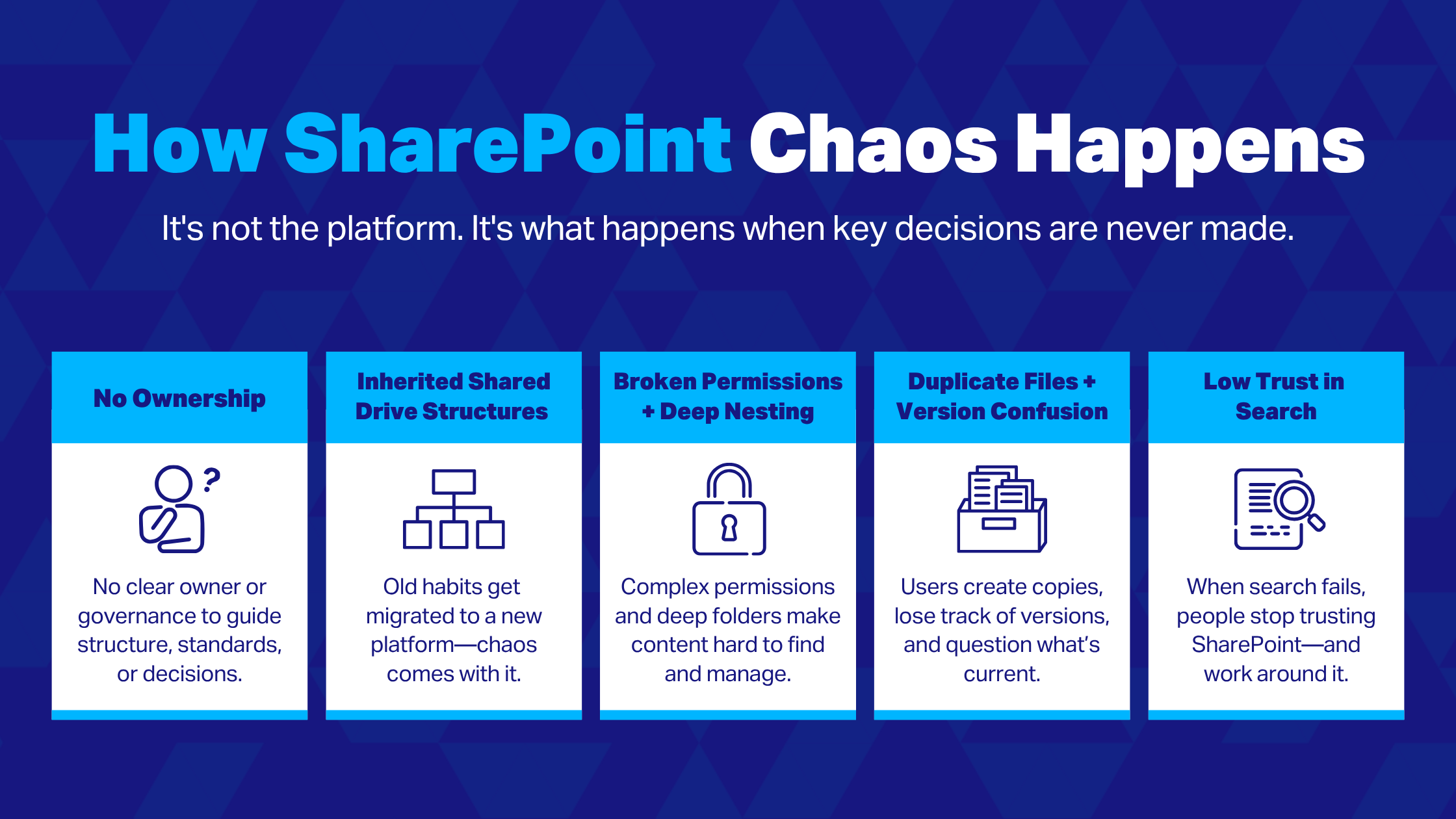
The Shared Drive Trap
Teams often migrate existing drives directly into SharePoint, resulting in deeply nested folders and little to no tagging. This rarely scales well: nesting paths that make sense to one user often don’t to others, and search becomes unreliable without tags. When people can’t locate information, they start duplicating and renaming files. Eventually, teams lose confidence in search functionality and in which files are the right version.
No SharePoint Governance
File sprawl and broken search are also inevitable without SharePoint governance. Users create their own systems rather than following consistent rules for site layout or how files are named, tagged, and organized. If every site looks and feels different, it’s a strong signal that governance isn’t working.
Lack of User Training
While SharePoint governance is essential, it won’t hold up if people don’t understand these guidelines and why they’re important. According to Dys, a lot of this comes down to user perception, since many organizations treat the platform as a repository rather than a more comprehensive collaboration hub: “Nine times out of ten, the biggest problem is that people don’t understand what SharePoint is or how to use it.”
SharePoint Best Practices for Long-Term Success
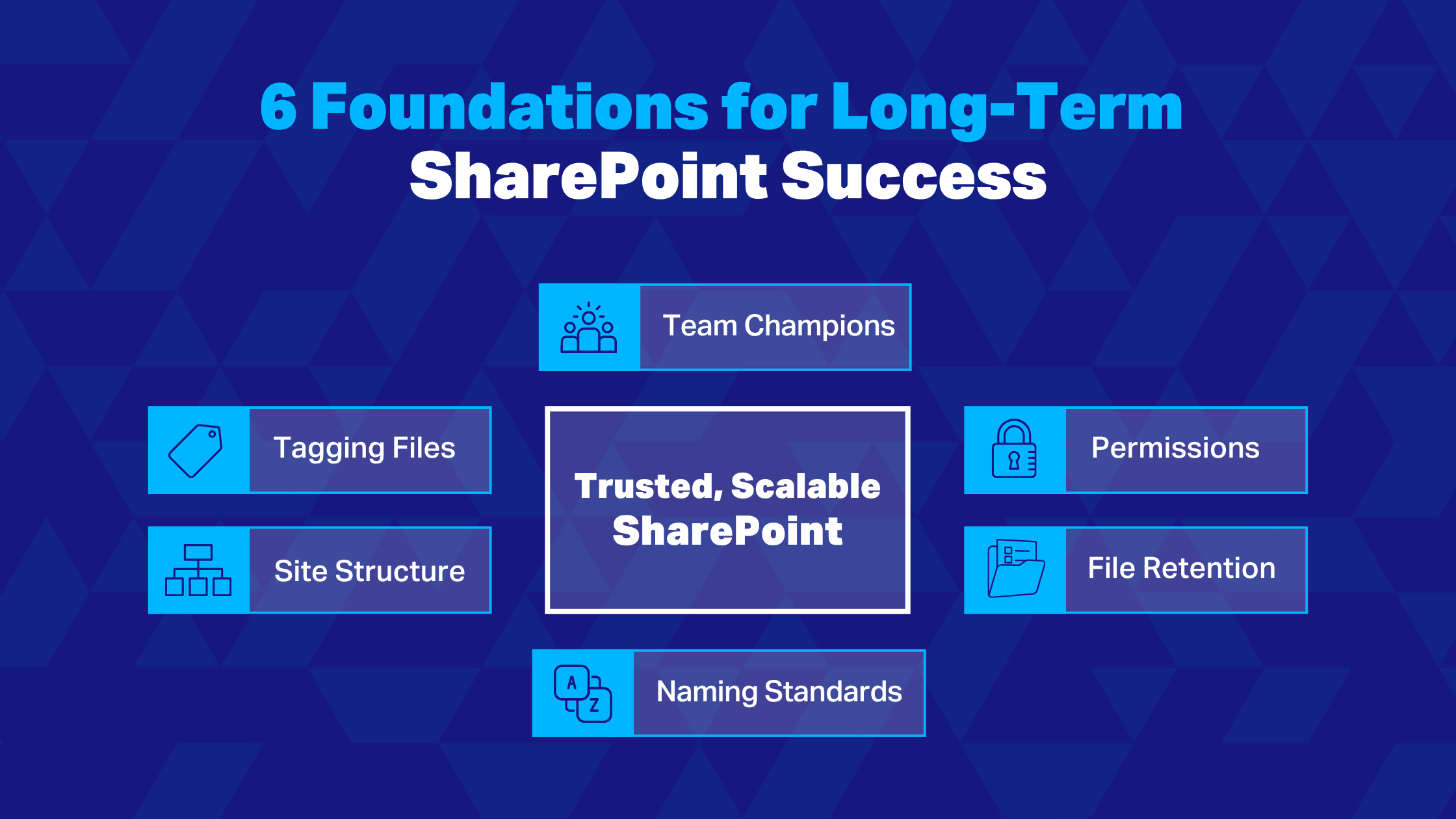
1. Establish Site Structure
Whether you’re rolling out the software for the first time or fixing an existing setup, start by designing your SharePoint information architecture, or how content should be arranged across sites and libraries:
When to create new sites versus document libraries
How folders will be set up to avoid deeply nested structures
How files will be named and tagged (more on this later)
Default permissions, which should always limit site creation to approved users
How common document types, like reports, should look
Overall site navigation and appearance
These guardrails can then be built into an official template, ensuring every new site follows the same framework, design, and permissions.
2. Set Up Security and Permissions
Good security depends on knowing what’s in SharePoint and labelling sensitive content so it can be controlled appropriately. From there, your site and library setup should support scalable permissions, avoiding the need to break inheritance wherever possible. It’s usually easier to organize content and manage access at the site or library level instead of housing everything in a single library.
Other best practices include restricting external sharing to dedicated areas, setting up permissions through role-based groups instead of individuals, and ensuring staff can only access what they actually need. You should also review the environment regularly for inactive accounts or outdated permissions before they turn into larger risks.
3. Standardize File Naming
Define a simple, repeatable naming convention for files and folders that employees can easily remember. Stick to letters, numbers, hyphens, and underscores, and make sure elements like dates or file versions are concise.
Shortening URLs to avoid file path limitations is crucial here. For example, use intuitive abbreviations like SD for Shared Documents. “People love turning URLs into novels,” Dys points out. “Keep the URL as short as possible while staying descriptive enough for everyone to understand.”
4. Tag Files
While short yet descriptive file names help with quick scanning, metadata is what makes SharePoint truly searchable at scale. Tagging files by relevant attributes—such as client, document type, department, or status—allows information to stay organized and easy to find while maintaining clean and manageable file names.
5. Train Teams and Assign Champions
SharePoint governance isn’t just a technical planning exercise, but a people management one. Even the best-designed environment will break down if employees don’t know how to use it. Training should clearly position the system as more than a traditional file share, while also showing users how to apply naming conventions, metadata, and folder structures.
Assigning site champions within each department can make a big difference. These individuals act as SharePoint experts, helping maintain standards and support their teams long-term. As Dys describes it: “People who understand the software, can answer user questions, and aren’t afraid to stand on the soapbox to keep it working the way it should.”
6. Consider Your Retention Policy
When SharePoint environments accumulate outdated files, it introduces regulatory and security issues and makes it harder for users to know what’s current. Despite the risks, Dys says it’s rare to see companies with retention strategies: “In my experience, organizations tend to keep everything forever, not realizing that it’s a liability.”
Those looking to take a more proactive approach should define retention timelines for each document type—for example, deleting contracts 7 years post-expiry. This can often be automated, triggering emails to relevant stakeholders when content is ready to be retired.
How to Know If You’re on the Right Track
Measuring SharePoint’s performance and improving over time is just as important as starting with the right foundations. The challenge is that traditional metrics like page views don’t tell you much about the software’s real use value, especially if employees are being forced to use it.
“It’s more about the perception in the organization around the product,” Dys emphasizes. That means speaking directly to staff: Are they finding what they need? Are there still bottlenecks or workarounds? Strong adoption tends to show up through signals like fewer duplicate files, higher trust in search, and a drop in access requests.
User feedback also tends to show further potential beyond cleanup. “When I work with large organizations, fixing the structure always uncovers a manual process that could be automated,” Dys explains. “That’s where having the right foundation starts to unlock more opportunities to make people’s jobs easier.”
Structure First, Then Scale
SharePoint is one of the most powerful tools in the Microsoft 365 ecosystem, but only when it’s set up the right way. The organizations getting the most long-term value from it are almost always the ones that took the time to define systems and user practices early on.
“Bringing in proper governance and templates doesn’t just solve today’s SharePoint mess. It creates room for the organization to scale for the next decade,” says Dys.
If the platform is feeling hard to manage or isn’t delivering the value you expected, it’s often a sign that this groundwork needs attention. IX Solutions works with your team to design and execute SharePoint environments that are functional, secure, and built to scale.
Get in touch with the IX Solutions team to assess your SharePoint environment.
