

More and more businesses are experimenting with AI agents to handle tasks that previously relied on human judgment and intervention. The Upwork Research Institute found that across a variety of use cases, roughly a third or more SMBs are actively piloting agents, while only a small fraction aren’t considering them at all. Microsoft’s CEO also said that after launching Agent 365 early in 2026, it registered nearly 40 million agents across 10,000+ companies in just two months.
These numbers make sense, given the excitement around AI and the fact that agents can be powerful at improving inefficient or manual processes. However, not every business problem calls for an AI agent. Sometimes, rules-based automation can be just as effective.
The key is in knowing where each approach—AI agents vs. automation—is the strongest at performing a specific task.
“It’s easy to feel like you’re falling behind if the business isn’t using AI,” says Desirae Huot, Senior Modern Productivity Consultant at IX Solutions. “But if a simple automation can handle the process, building an agent just adds ongoing costs, complexity, and risk without adding more value.”
If you’re hearing more about AI agents and wondering where they might fit into your organization, this article breaks down:
The key differences between AI agents and rules-based automation
Concrete examples to highlight what each approach might look like in everyday work
Practical guidance to help you choose a solution for different use cases
AI Agents vs. Automation: What’s the Difference?
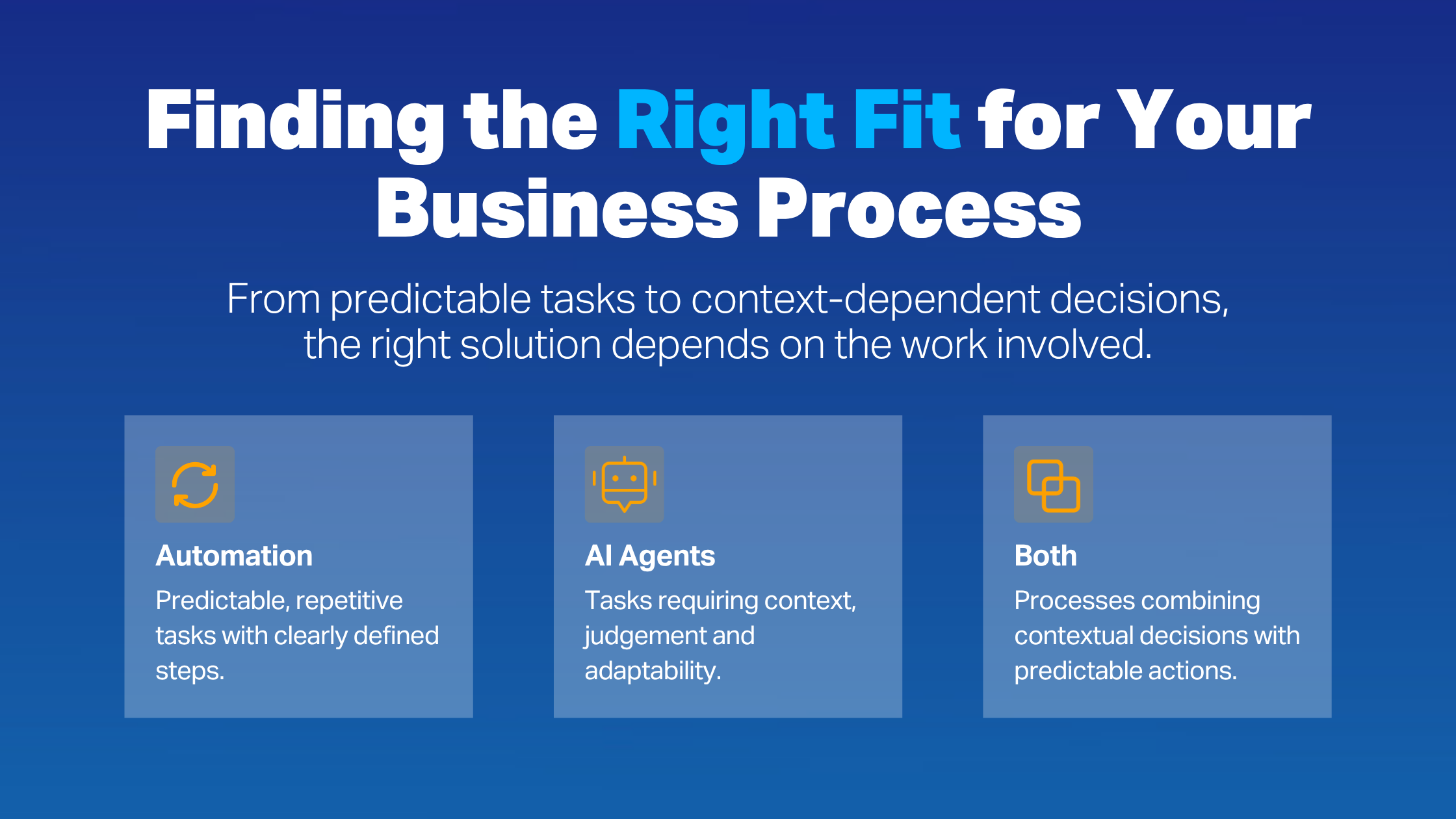
Traditional business process automation follows a certain path from end to end: If A happens, then B happens, and then C. Consistent, structured inputs and predefined rules lead to a predictable output every time. That makes automation ideal for repeatable workflows with few variables that you can clearly explain beforehand.
Rather than working from a fixed sequence of steps, an AI agent interprets instructions and context—perhaps a set of internal data sources—and decides what to do next. Unlike automation, you can provide an agent with unstructured inputs, like messy documents or a chain of emails. They’re more appropriate for tasks that involve ambiguity, changing conditions, or many possible ways to reach a solution.
When to Use AI Agents, Automation, or Both
You might already be able to think of what those prescriptive, repeatable workflows look like in your organization, versus the ones where actions rely more on a user’s interpretation and judgment.
“If you can easily draw the process as a flow chart, it’s probably a good candidate for traditional automation,” says Huot. “If you have to explain it in the same way you would train a new hire, that’s where an agent could be the right fit.”
Let’s take a closer look at where each technology functions most effectively:
Automation
When a process follows prescribed steps, traditional automation can usually perform tasks without needing AI to interpret context. The predictability of automation also makes it a good option for operations with a high cost of error, where the potential for bad inputs or hallucinations can make AI the riskier choice.
Activities that involve structured data, like standardized forms or spreadsheets with consistent fields and naming conventions, are ideal here. When deciding where to implement (or keep existing) process automation, look for:
High-volume, repetitive work. Frequent tasks like invoice processing or inventory replenishment typically use the same steps for every transaction and have predictable outcomes.
Data synchronization. Many teams enter data manually across different systems when records change. Automation is perfect for this, keeping information updated and consistent wherever it appears.
Financial processes. Automation works especially well when accuracy and consistency are critical, as in calculating payroll deductions or making bill payments.
Workflows that need an audit trail. Automation provides a clear record of each action, making it appropriate for work that must be audited regularly—think IT provisioning and purchase approvals.
AI Agents
Again, agents are preferred for responsibilities with greater variability and judgement, particularly when working with unstructured information. Start by looking at the inputs whenever you’re considering a workflow for an AI agent. If an employee would need to review emails, documents, and Teams conversations to make a decision, it’s probably the kind of context-dependent situation an agent could support.
Here are some common agentic AI examples where the technology can shine:
Customer service triage: Reviewing customer emails to identify issues and either draft replies or route requests to the right people.
Sales lead qualification: Researching prospective customers and interpreting their inquiries before recommending which ones deserve a follow-up.
IT help desk support: Understanding support requests from employees and consulting internal knowledge bases to provide troubleshooting tips.
Document review: Examining contracts, proposals, and other business documents to flag missing information and other issues.
Vendor research: Creating a shortlist of potential suppliers after reviewing their offerings, pricing structures, and terms of service.
The Best of Both Worlds
Choosing between automation and AI agents doesn’t have to be a black-and-white decision. According to Huot, mixing them within the same workflow is often the most effective.
“If you think about it, most business processes involve a combination of judgement and predictable steps,” she points out. “An agent determines what needs to happen, while traditional automation takes care of the execution. That way, you’re using each technology for what it does best.”
If you’re working within a Microsoft environment, that could involve an agent built in Copilot Studio triggering Power Automate flows to execute specific tasks.
For example, imagine that you’re a wholesale distributor. An agent interprets incoming customer emails and extracts details like order numbers, quantities, and delivery instructions. Then, it triggers a traditional automation to validate that information, send the proposed changes to an employee for review, and update the ERP once approved.
Here, the agent takes care of interpreting the variable context of customer requests, while automation ensures that orders are processed and recorded accurately.
7 Questions to Ask When Choosing a Method
Before committing to an approach, it can be helpful to do a sanity check. Beyond the nature of the workflow itself, you’ll also need to weigh factors like cost, reliability, and risk. With that in mind, here are some practical questions you can ask before making a decision:
How defined is the business process or problem?
Consider how predictable the task’s steps and outcomes are. If you can describe them easily in a flowchart, traditional automation is likely a good fit. If the work has frequent exceptions or more subjective decisions, an AI agent may be better suited. If it involves a bit of both, combining the two could make the most sense.
What kind of information does the task rely on?
The workflow may involve some steps that use unstructured content and others that function on standardized, consistent data. This points to which activities should be supported by AI vs. automation.
What’s our tolerance for error?
Since automation is more predictable and controllable than an agent, it introduces less risk for high-stakes tasks—as long as the input data is accurate and consistent. An agent could still summarize information or make recommendations, while leaving final decisions and execution to employees and rules-based automation.
Does the process need to be audited?
AI agent decision-making isn't always transparent, and it can be hard to explain exactly how the technology arrives at a particular decision. Because process automation follows predefined logic, it tends to have clearer records of what happened, when, and why. That makes it preferable for regulated processes and compliance-sensitive work.
What’s our budget?
Automation has upfront development and testing costs, but is relatively inexpensive to operate. AI agents can be more expensive to set up, and they often use consumption-based pricing where costs increase with usage. Think about how those costs could increase as more employees use the agent, or if you plan to deploy additional ones.
What’s the workload volume?
Look at how often the process needs to run and how many tasks or records it will handle. Traditional automation is generally more efficient and cost-effective for high-volume, repetitive tasks, like reconciling thousands of records between systems. An agent can also handle high workloads if it’s better suited for a specific use case, though it’ll be more expensive to run.
What resources can we realistically dedicate to maintaining it?
Both technologies need ongoing ownership and maintenance, but in different ways. Automation tends to run reliably once configured, requiring attention only when systems or data sources are significantly restructured. Agents need more frequent monitoring and testing, since inputs and changes to models or data sources can impact performance over time.
Start With the Business Problem, Not the Technology
As the hype around AI agents builds, it can be tempting to rush into implementation without fully considering the use case value and factors like risk and ongoing maintenance.
Often, bringing in an experienced third party provides the objective view needed to design the right mix of AI agents and automation for your organization’s specific business problems. As Huot explains, that guidance can ultimately help avoid unnecessary costs down the road.
“Sometimes, the best outcome is talking a client out of building an AI agent they don’t really need,” she says. “Our goal isn’t to push the latest technology, but to recommend what will actually support your operations, budget, and long-term goals.”
At IX Solutions, we help organizations assess their operations, determine where AI and automation can add value, and build technologies with proper governance and support in place. Learn more about our AI consulting services.
