
Microsoft 365 for Nonprofits: How to Make the Most of Your Existing Licence

Nonprofits tend to have a very different relationship with technology than for-profit companies. Research shows that Canadian nonprofits have just one-fifth the tech staff of other industries, despite having similar workloads, workforce sizes, and responsibilities around data security. Nonprofit teams are stretched especially thin, and managing software is just one of many hats that their people wear.
When your focus is on delivering programs and supporting communities, technology naturally slides down the priority list. But over time, user frustrations can mount, and organizations end up paying for tools they’re only partly using. Many nonprofits already have a Microsoft 365 licence through free or discounted plans, but only scratch the surface of what it can do.
The good news is that fixing day-to-day friction or improving adoption doesn’t have to mean buying more software. If your nonprofit has M365, there’s a good chance that what you need is already there—it’s just a matter of setting up the environment to optimize your usage.
Here, we’ll look at why many nonprofits miss out on what Microsoft 365 has to offer, and some practical ways to take advantage of it.
How Nonprofits Lose Value With Microsoft 365 Licensing
Microsoft 365 for nonprofits is often underutilized due to competing priorities, limited IT capacity, and lack of long-term ownership. Over 60% of Canadian nonprofit leaders report higher program costs, while one in three says they lack the talent needed to support technology initiatives.
As a result, many organizations end up operating with fragmented systems, inconsistent processes, and tools that aren’t fully integrated.
Tools Don’t Talk to Each Other
Microsoft 365 is designed to function as a connected ecosystem where communication, documents, automation, and reporting work together. But many nonprofits end up using it as a series of disconnected point solutions instead.
This often looks like:
pulling grant reporting data from spreadsheets, emails, and Teams chats
manually consolidating donor or volunteer information
storing documents across SharePoint, desktops, and personal drives
relying on long email chains for approvals and updates
When information is scattered across multiple systems and workspaces, reporting becomes slower, collaboration becomes harder, and administrative work increases significantly. Demonstrating measurable impact is already critical for securing donor trust and funding. It becomes much more difficult when data is fragmented across the organization.
Valuable Features Aren’t Being Used
For many nonprofits, Microsoft 365 adoption starts and ends with Outlook, Teams, and Office apps. But depending on your licensing, you may already have access to tools that support:
workflow automation
document management
internal knowledge sharing
endpoint security
reporting dashboards
identity management
AI-assisted productivity
Capabilities like Microsoft SharePoint, Microsoft Power Automate, and Microsoft Defender for Office 365 often go completely unused, even though they can help organizations reduce repetitive work, improve collaboration, and strengthen security.
For example:
volunteer onboarding forms can automatically route approvals and documentation
grant reporting workflows can feed into centralized SharePoint libraries
recurring reminders and notifications can be automated through Teams
policy acknowledgements and staff onboarding tasks can be standardized digitally
These types of improvements may seem small individually, but they can save significant administrative time over the course of a year.

People Avoid M365 or Use It Inconsistently
When Microsoft 365 feels difficult to navigate or poorly organized, users naturally create their own systems and workarounds.
Over time, this can lead to:
departments using separate Google Drives or Dropbox accounts
files saved locally on personal devices
volunteers coordinating work through text messages
duplicate versions of important documents
inconsistent naming conventions and permissions
Eventually, no one is entirely sure where the “correct” version of a file lives.
This kind of fragmented environment creates operational friction and makes security, governance, and collaboration much harder to manage. Intermittent or high-turnover user groups, such as volunteers and seasonal staff, can amplify the problem even further.
Why a More Strategic Environment Matters
Technology may not be the primary mission of a nonprofit organization, but it plays an important supporting role in helping teams do more with limited resources.
Every hour spent chasing files, manually consolidating reports, or duplicating administrative work is time that could otherwise be invested into programs, fundraising, or community impact.
An optimized Microsoft 365 environment can help nonprofits:
automate repetitive administrative tasks
reduce unnecessary software spending
improve collaboration across teams and volunteers
strengthen cybersecurity protections to avoid costly security incidents
simplify reporting and compliance
create a more consistent user experience which boosts workplace satisfaction
In other words, improving your M365 environment is really an operational efficiency initiative.
Microsoft 365 Optimization Strategies for Nonprofits
While Microsoft 365 won’t replace every specialized nonprofit platform, most organizations already have access to a strong foundation for communication, collaboration, document management, and automation.
The key is approaching the platform strategically rather than trying to activate every feature at once.
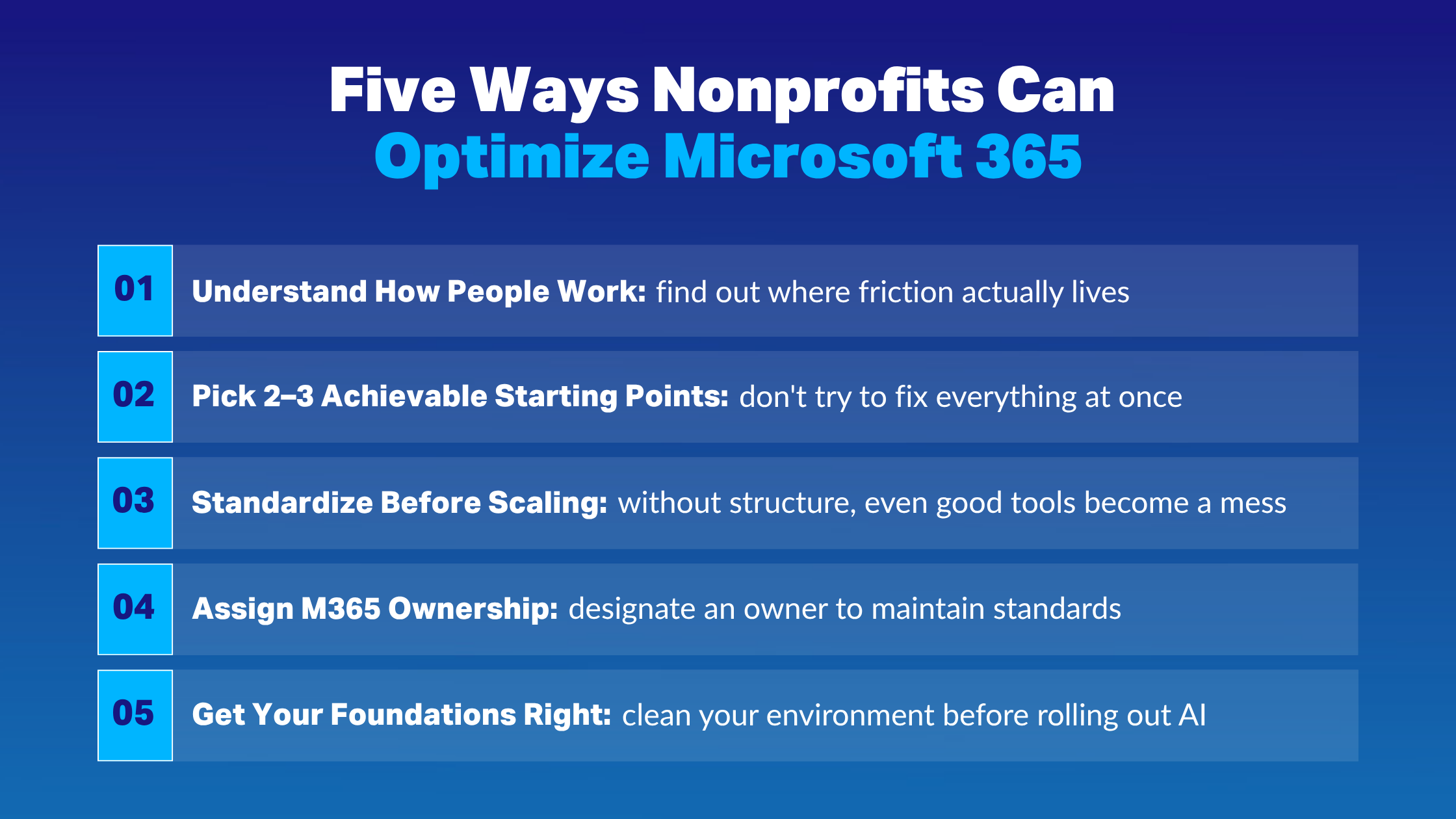
1. Get to Know How People Work
The most effective Microsoft environments are designed around real operational workflows, not idealized ones.
Before implementing changes, take time to understand:
how staff and volunteers currently use M365
where people experience friction or confusion
what external tools or workarounds have emerged
which tasks involve repetitive manual work
where communication breakdowns commonly happen
These conversations often reveal opportunities for quick operational improvements.
Research shows that manual reporting is one of the biggest internal barriers that Canadian nonprofits face today. Simple automations can be set up in M365 to keep reporting workflows organized and efficient—for example, Power Automate can help feed report data into a SharePoint workspace and send reminders and updates to Teams.
2. Pick a Few Achievable Starting Points
These conversations usually reveal a handful of opportunities where M365 can simplify day-to-day work. Resist the urge to tackle everything at once and instead, focus on addressing two to three priorities first. Early wins create momentum and help staff see value before bigger changes happen.
Good starting points often include:
volunteer onboarding
board meeting coordination
grant approval workflows
shared reporting processes
policy acknowledgements
staff onboarding
centralized document storage
These use cases will depend on your specific operations and requirements, but removing repetitive work is always a good place to target. Look for processes that rely on long email chains, multiple spreadsheets, and copying and pasting.
3. Standardize Before Scaling
As organizations grow, consistency becomes increasingly important.
Without clear standards, even well-intentioned Microsoft environments can quickly become difficult to manage. SharePoint, in particular, has a reputation for becoming cluttered and confusing when governance is neglected.
A few foundational standards can go a long way:
document naming conventions
permission structures
standardized SharePoint templates
centralized document libraries
file retention practices
Training should also remain simple and approachable. Short demos, quick-reference guides, and lightweight onboarding materials are often much more effective for nonprofits than lengthy training programs.
4. Assign M365 Ownership
Many Microsoft 365 initiatives lose momentum because no one is clearly responsible for maintaining the environment over time.
In nonprofits, technology ownership is often distributed informally across operations staff, executive leadership, volunteers, or whoever happens to be “the tech person” at the moment.
That doesn’t mean every organization needs a dedicated IT department. But it does help to assign internal ownership and accountability around:
maintaining standards
reviewing permissions
supporting adoption
identifying operational improvements
coordinating with external IT partners
Some nonprofits establish small groups of internal champions who oversee M365 governance as part of their broader responsibilities. These individuals don’t necessarily need deep technical expertise, but they should understand how the organization operates and how technology supports those workflows.
5. Get the Foundations Right Before Adding AI
In Canada, 65% of nonprofits are either considering or actively using AI. Many nonprofits are already in a position to explore AI through Microsoft 365, whether through capabilities included in their licensing or discounted add-ons that make adoption more accessible.
Tools like Microsoft Copilot can further reduce repetitive work and help with tasks like summarizing meetings, drafting content, or surfacing insights from internal data. However, if your M365 information environment is messy, AI outputs will inherit that same chaos. That’s why it’s important to have some foundations in place first: know where information lives, manage access appropriately, and ensure users store and organize data according to the standards you established.
Make Microsoft 365 Work for Your Nonprofit
Microsoft 365 can create real value for nonprofits, but getting more from your licensing isn’t about activating every feature or building a perfectly optimized ecosystem. Instead, focus on which capabilities best support everyday workflows, and make incremental improvements that people will realistically use and maintain.
Because nonprofits tend to be short on time and tech expertise, hiring an IT partner can also be a worthwhile investment when refining your Microsoft environment. Consultants like IX Solutions understand the challenges unique to the nonprofit sector, helping your team identify quick wins and avoid costly trial and error.
If you’re unsure whether you’re leaving value on the table with your Microsoft 365 licence, reach out for a consultation.
